# Interact with GUI
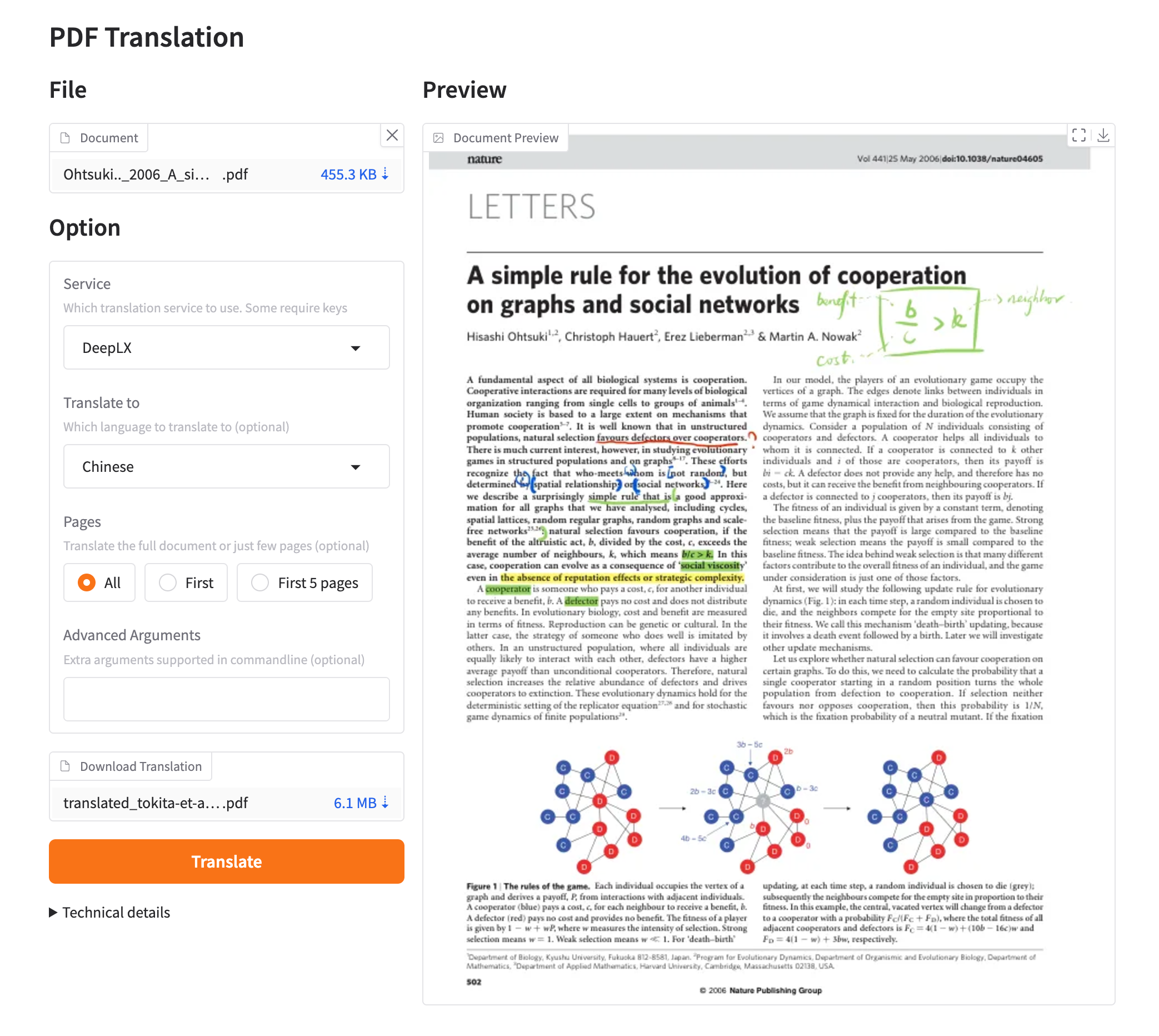
This subfolder provides the GUI mode of `pdf2zh`.
## Usage
1. Run `pdf2zh -i`
2. Drop the PDF file into the window and click `Translate`.
### Environment Variables
You can set the source and target languages using environment variables:
- `PDF2ZH_LANG_FROM`: Sets the source language. Defaults to "English".
- `PDF2ZH_LANG_TO`: Sets the target language. Defaults to "Simplified Chinese".
### Supported Languages
The following languages are supported:
- English
- Simplified Chinese
- Traditional Chinese
- French
- German
- Japanese
- Korean
- Russian
- Spanish
- Italian
## Preview
 ## Maintainance
GUI maintained by [Rongxin](https://github.com/reycn)
## Maintainance
GUI maintained by [Rongxin](https://github.com/reycn)